 |
C-Menu 0.2.9
A User Interface Toolkit
|
|
C-Menu 0.2.9
A User Interface Toolkit
|
Click the link below to access the C-Menu Documentation:
or
The C-Menu API is a set of functions and tools that allow developers to extend the capabilities of C-Menu and develop custom applications that integrate with C-Menu.
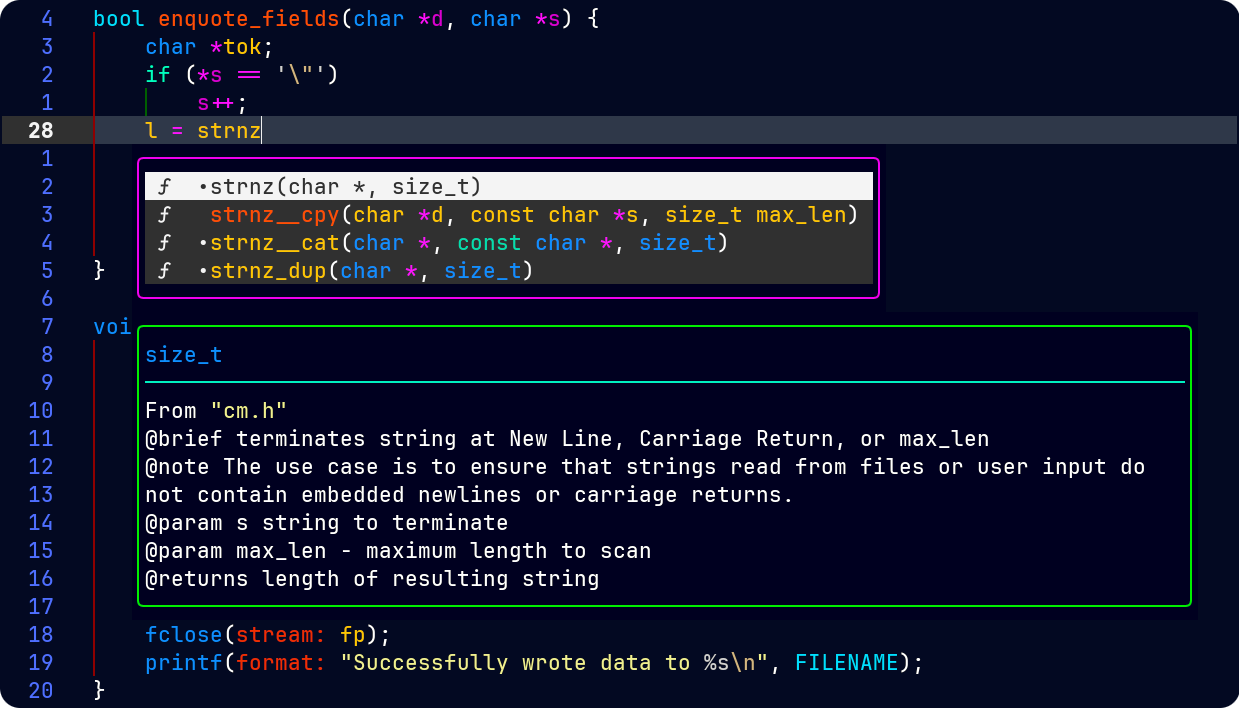
The C-Menu API documentation is available in Neovim. As you are typing the function name, a list of matching signatures appears along with a brief description of each function and its parameters. This makes it easier to to use the API without having to leave your coding environment. You can select the one you want with the arrow keys and press Enter to insert it into your code. You can also hover over a function and press Shift-K to view the full documentation in a pop-up window.
NOTE: Requires Neovim properly configured with support for LSP and a plugin that provides LSP functionality, such as nvim-lspconfig.
The C-Menu API is organized into modules, each containing functions related to a specific aspect of C-Menu's functionality. The most important directories in the C-Menu source are src and menuapp. The src directory contains the source code for C-Menu, including the implementation of the API functions. The menuapp directory contains the application code that uses the API to create the C-Menu user interface and handle user interactions. To familiarize yourself with the API, you can explore the src and src/include directories while you explore the C-Menu documentation at:
Start by opening the C-Menu top-level directory explore the various subdirectories.
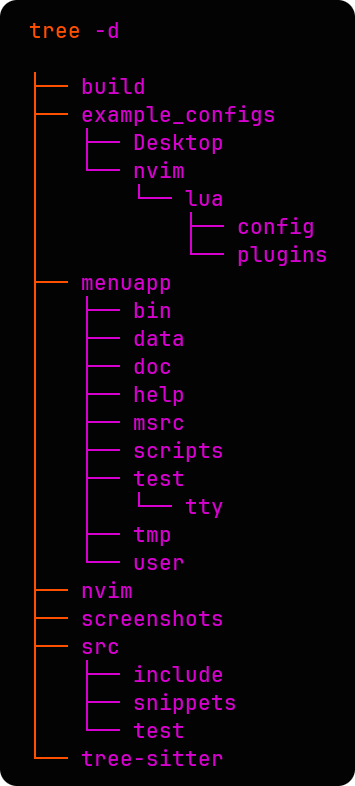
The src/include directory contains header files that define the API functions and data structures. These header files are located in src/include. They are:
cm.h: This header file includes generic functions and data that are used throughout C-Menu, but aren't specific to the application layer. It contains general-purpose functions and data structures that can be used in various contexts, not just within C-Menu. cm.h contains:
common.h: This header file contains the common data structure, "Init", which is used in Menu, Form, Pick, and View. The "Init" structure is a fundamental part of the C-Menu API and is used to initialize and configure various components of the C-Menu application. It contains fields that specify the properties and behavior of menu items, forms, picks, and views. The functions that utilize the "Init" structure are essential for setting up and managing the user interface elements in C-Menu.
The data in the Init structure is substantially stored in ~/.minitrc. This file is read on startup, and along with certain environment variables, and command-line arguments, is used to initialize the C-Menu application and configure its behavior. A default ~/.minitrc file is provided with C-Menu. Any of the C-Menu main programs will create a new configuration file when invoked with the -D option. (dump-config).
Each user can have any number of configuration files by specifying the -a option with the name of the configuration file. For example, if you have a configuration file named "myconfig.minitrc", you can start C-Menu with that configuration by running:
You can also view the contents of the default configuration by running:
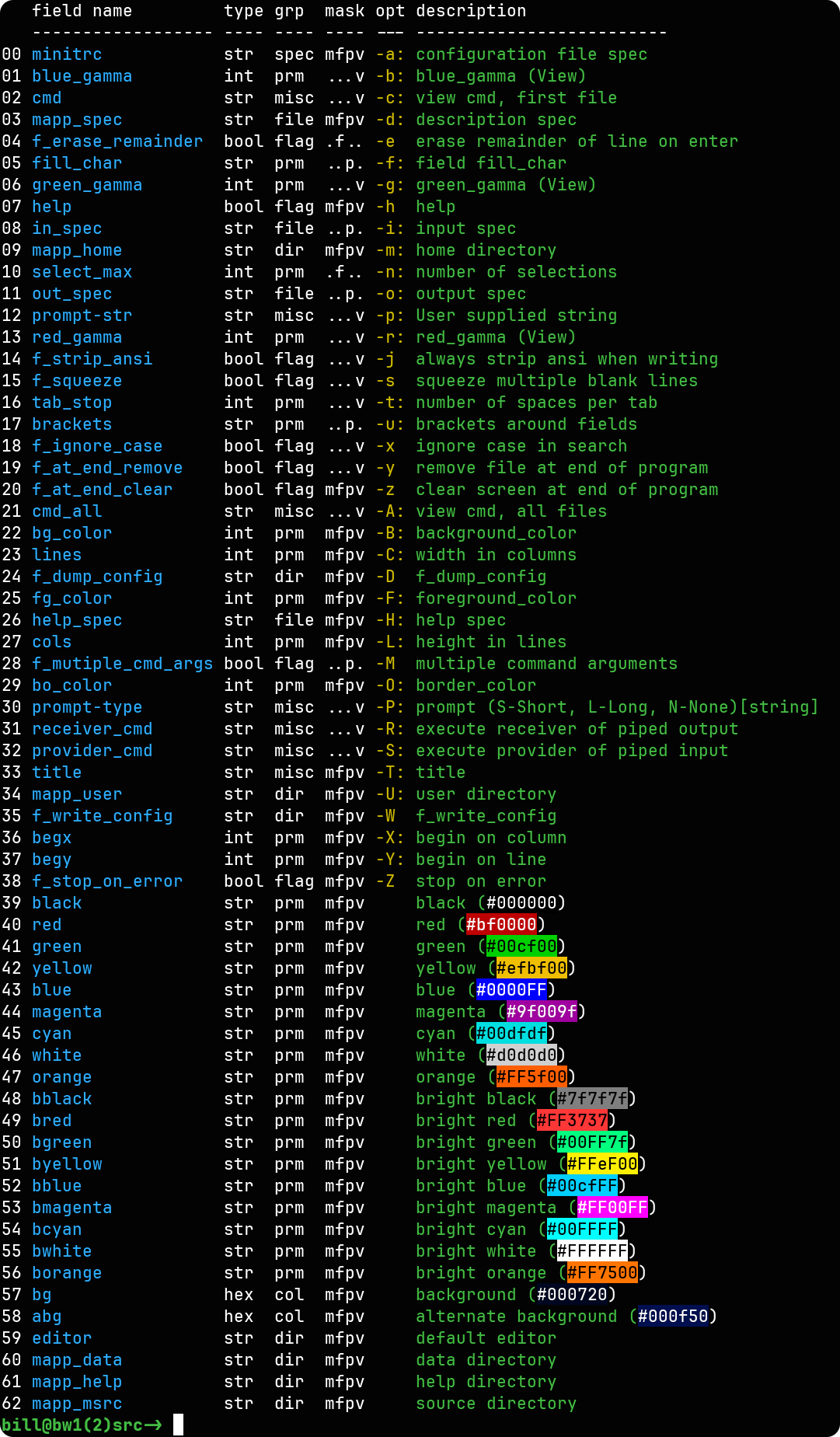
This is very useful because field name is also the name of the C variable used by the C-Menu API. For example, the "title" field in the Init structure corresponds to the "title" variable in the C-Menu API. In instances where a long option is needed, the field name is also the long option name. For example, the "mapp_help" field corresponds to the "--mapp_help" long option in the command-line interface. This allows developers to easily understand how to use the API functions and how to configure their applications using the configuration file.
These are the application layer header files that define the API functions and data structures specific to Menu, Form, Pick, and View components of C-Menu. Each of these header files contains functions and data structures specific to their respective components, allowing developers to create and manage menus, forms, picks, and views in their C-Menu applications.
version.h: This header file contains version information for C-Menu, including the major, minor, and patch version numbers. version.h is generated from version.h.in during the build process and contains the actual version numbers for the C-Menu application. This information is useful for developers to ensure compatibility with specific versions of C-Menu when developing their applications. The version information can be accessed through the API functions, allowing developers to check the version of C-Menu they are working with and ensure that their applications are compatible with that version.
To be continued in the next version of the documentation. The C-Menu API is extensive and covers a wide range of functionality, so this documentation will be expanded to include more detailed information about each module, function, and data structure in the API. Future updates will also include examples and best practices for using the C-Menu API effectively in your applications. Stay tuned for more updates!
In the meantime, you can explore the extensive C-Menu documentation available at:
Note: The C-Menu Documentation is developing along two tracks. The API documentation is geared for developers who want to use the C-Menu API to create custom applications, or perhaps contribute to the C-Menu codebase. The User Guide is geared for administrators, developers, and end-users who want to use C-Menu as an adjunct to their workflow, or perhaps customize C-Menu for their specific needs. Both tracks are important and will be developed in parallel, but the API documentation is currently the focus of development. The User Guide will be expanded in future updates to include more detailed information about using C-Menu effectively, including tips and best practices for customizing C-Menu to fit your specific needs. I will also try to add more to the Exercises section, which is intended to demonstrate how to use C-Menu to solve real-world problems and to provide hands-on experience with the C-Menu API. The exercises will cover a range of topics, from basic usage of C-Menu to more advanced features and customization options. Stay tuned for more updates on the User Guide and Exercises sections of the documentation!
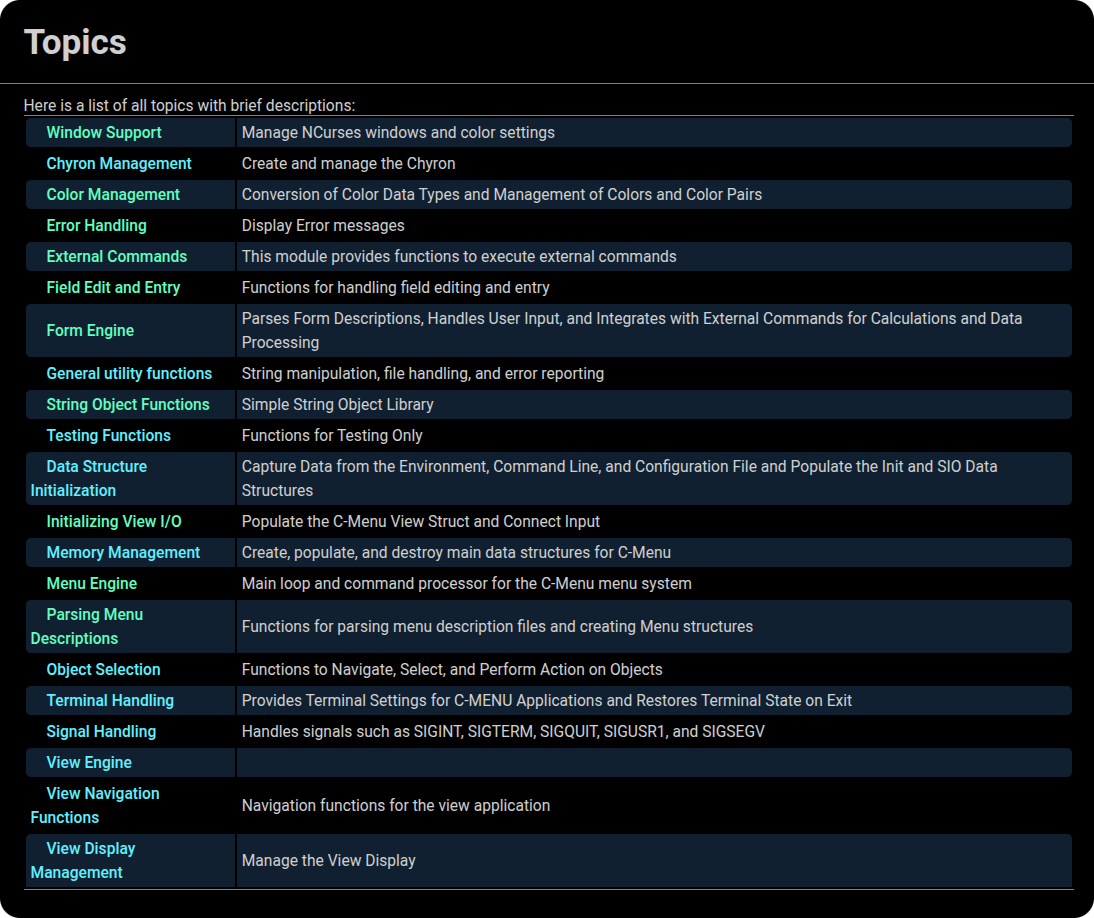
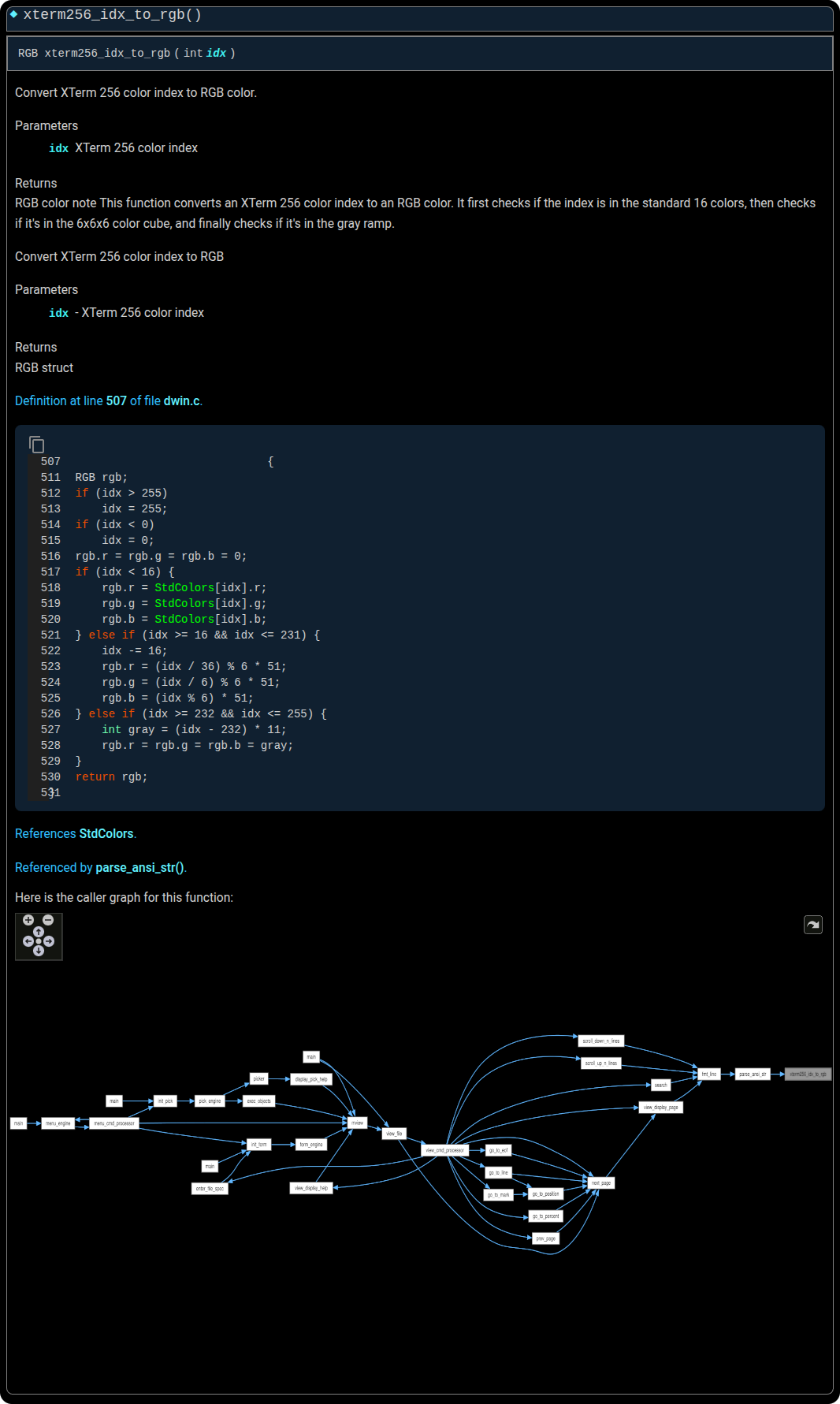
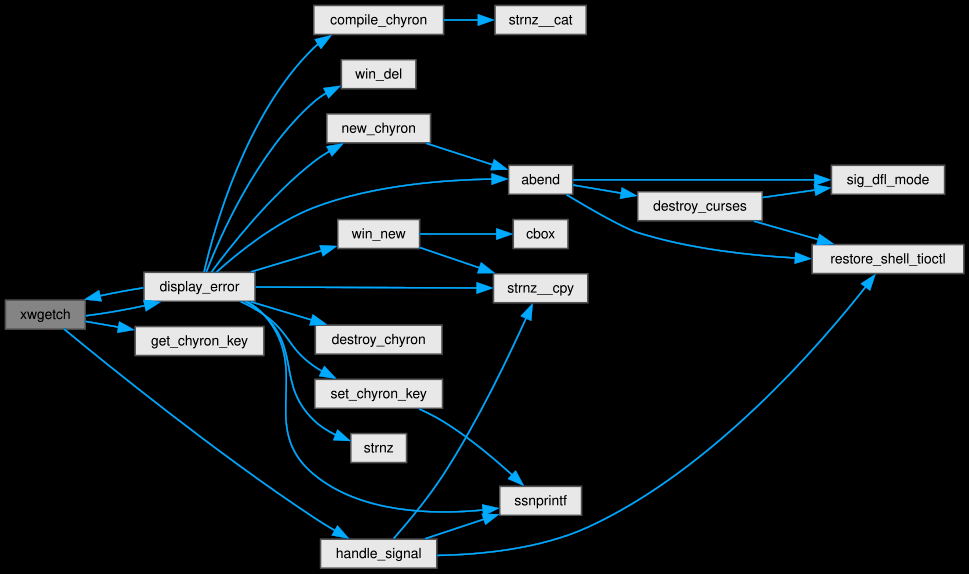
Caller and Callee graphs are provided in the HTML documentation for all API functions. These graphs show the relationships between functions in the C-Menu codebase, allowing developers to understand how different functions interact with each other and how they are used in the context of the C-Menu application. This can be particularly useful for understanding the flow of data and control in the application, as well as for identifying potential areas for optimization or improvement in the code.
=== _ INCOMPLETE CONTENT _ ===
 1.17.0